
forget about the printer
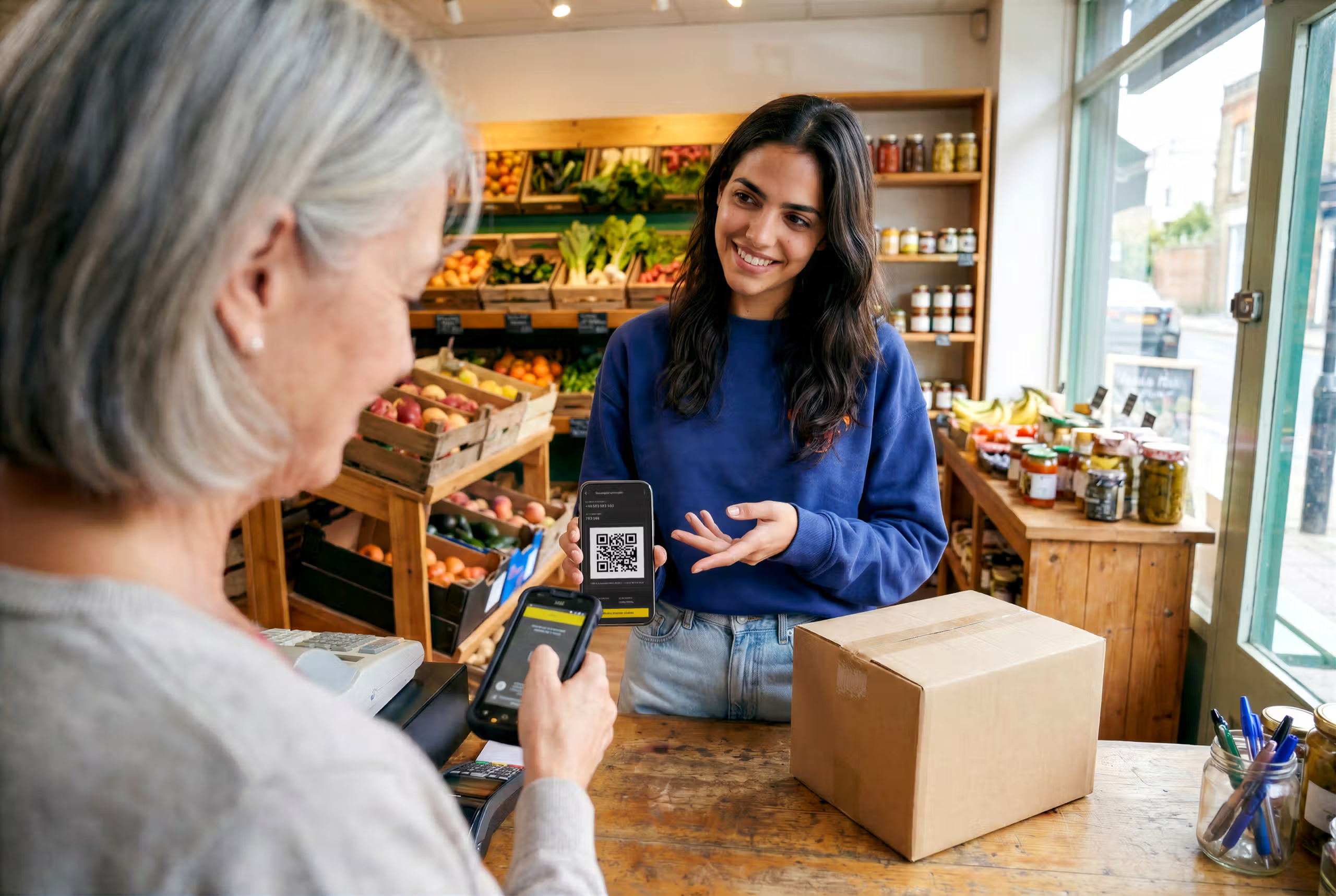
Your mobile phone is all you need. No label. No sticking it on the package. Just a QR code and you're done.
How does it work?
To send or return parcels, simply:
1.
Receive your QR on the mobile phone
We email it to you when you make your shipment or return*. Write the number on the packaging (the 8-digit tracking number).
2.
Scan it at the Pickup Point
Locker or Parcel Point, whichever you prefer.
3.
Drop off your parcel
No Labels. No Waiting. No hassle.
4.
And that’s it!
You will receive an email confirming that your parcel has started the trip. And you can track it on our website or App.
* Check that the e-commerce you are using to return has the shipping option without a label. If you do not have this option, print the label provided and stick it on the package.
Any questions?
Look! It's soooo easy.

Benefits of sending without printing
In seconds
Scan, and you're done. No queues or paperwork.
No Printer
No need to print or paste anything to the package.
Just your mobile phone
The QR is in the app or in your email.
Do I need a printer to ship with InPost?
No. InPost is the first company in the sector to completely eliminate paper labels in Iberia. You only need the QR code we sent you by email after making the payment. Show it on your mobile screen, and you're done.
How does QR code shipping work?
Once you complete your shipment and make the payment on our website or app, you can choose between downloading the label or the QR code. Choose QR, go to the nearest Locker or Parcel Point and scan it. The locker will open automatically.
Does it work in Lockers and Punto Pack?
Yes, both. At the Locker, you scan the QR code on the device screen, and the locker opens directly. At the Punto Pack point, the person in charge of the store scans the code for you.
What should I do if the QR does not read?
Turn your screen brightness all the way up, make sure the full code is visible without cuts, and clean your phone screen. If you're at a Punto Pack, ask the staff to try again. Also, double-check you're using the correct QR code and not an old screenshot.
Can I also return without a label?
Yes. If you want to return an online purchase, the brand or store itself will provide you with the QR code to manage the return. Just take the item to the Parcel Point or Locker and show it.
Does shipping without a label have any additional costs?
No. The QR code is free and included as a standard option for all InPost shipments.
What is the maximum size accepted by the Locker?
The parcel cannot exceed 60 x 40 x 30 cm or 25 kg. If your parcel is larger, do not try to force it in; it could damage the parcel or the locker.
10% off For you
Subscribe to our newsletter and get 10% OFF your next shipment.
INPOST MAKES SHIPPING EASY
From €5.28 to a Locker or Parcel Point